In This Article
Every check your printer produces carries a magnetic signature, and every bank that receives it measures that signature before the check clears. When a check comes back rejected, the number that decided its fate is almost always signal strength — and most print rooms never see that number until a batch has already failed.
This guide explains what MICR signal strength is, what the standard actually requires, how to read a verifier result, and what to change when the reading is wrong.
What signal strength actually measures
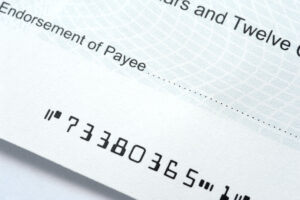
MICR toner contains iron oxide (if you are new to the technology, start with what MICR is and how it works). When a printed check passes through a bank’s reader/sorter, the machine magnetizes those particles and reads the voltage each character induces as it passes the read head. That voltage is the signal.
Signal strength is not a measure of how dark the character looks. A character can appear perfectly black to the eye and still fail, because what matters is how much magnetic material is actually fused to the paper and how precisely it is shaped. This is the single most common misunderstanding in check printing: visual inspection tells you nothing about whether a check will clear.
What the standard requires
In the United States and across most of Latin America, E-13B check printing is governed by ANSI X9.100-20. (If you are printing for a market that uses CMC-7 rather than E-13B, see our comparison of E-13B and CMC-7 standards.) The standard, which specifies the shape, dimensions, magnetic signal level and tolerances for every E-13B character.
The requirement is straightforward:
The MICR signal level may vary from 50 to 200 percent of the character’s nominal signal level.
Two details matter here, and both are routinely missed.
Nominal is per character, not one universal number. Each E-13B character has its own nominal signal level, derived from its shape and the amount of magnetic material in it. A “9” carries considerably more magnetic area than a “1”. A verifier reports each character as a percentage of its own nominal, which is why a readout showing 130% on one character and 95% on another is not a fault.
The standard is the floor, not your target. ANSI permits 50–200%, but individual banks and clearing houses frequently apply tighter internal thresholds, and a document sitting at 55% has almost no margin left before wear, humidity or a tiring cartridge pushes it under. Printing to specification and printing reliably are different goals. Aim for the middle of the band, not the edge of it.
Reading a verifier result
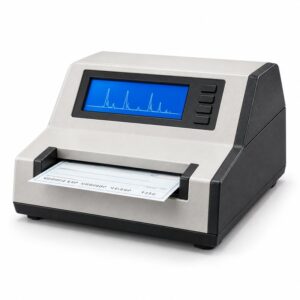
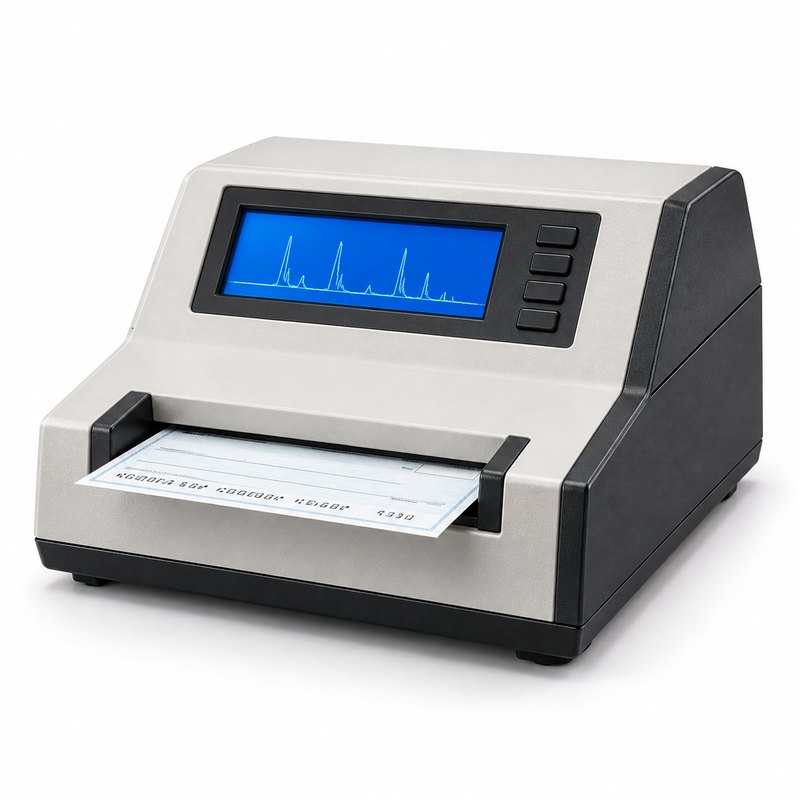
A MICR verifier passes the document under a read head and reports the signal for each character, usually as a percentage of nominal, along with format and dimension checks. What you do next depends on which direction the reading is off.
Signal is low (under about 80%)
Low signal means insufficient magnetic material reached the paper, or it reached the paper but did not bond. In rough order of frequency:
- The cartridge is near end of life. Once a printer reports toner low, MICR output is no longer trustworthy even though the characters still look solid. This is the most common single cause, and the cheapest to rule out.
- The cartridge is not MICR toner. Standard toner contains no iron oxide — we cover the difference in detail in MICR toner vs regular toner. It prints a perfect-looking check that reads at effectively zero signal.
- Poor fusing. A worn or glazed fuser applies uneven heat, so toner sits on the surface instead of bonding into it. Toner that rubs off under a fingernail will also shed in a reader/sorter.
- Wrong paper. Heavily coated or non-standard check stock prevents proper toner bonding.
- Print density set too low in the driver or printer panel.
Signal is high (over about 180%)
High signal is less common and more often a configuration problem than a consumable one:
- The MICR line is being printed twice — an overlay or form template printing the line that the application also prints.
- Print density set too high, laying down excess toner.
- A toner not formulated to the standard, carrying more iron oxide than E-13B expects.
Excess signal distorts the waveform the reader is trying to match against a known shape, so an over-strength character can be rejected exactly as a weak one is.
When signal strength is not the problem
A verifier reports more than signal, and a rejected check is not always a signal failure. Rule out these before changing consumables:
- Character dimension errors. E-13B characters are defined on a 0.010 inch grid with roughly ±0.005 inch of tolerance. A printer scaling the font even slightly — often because the driver substituted a font — produces characters of correct appearance and incorrect geometry.
- Extraneous ink. Specks, toner scatter or background printing inside the MICR clear band register as magnetic noise.
- Voids. Gaps within a character, usually from a failing drum or debris on the transfer path. Regular cleaning with Kleen-Sticks and cleaning tapes prevents most of these.
- Position errors. The MICR line sitting outside the clear band at the bottom of the document.
A practical order of operations
When a batch is rejected and you need to find the cause quickly:
- Verify a sample before you change anything. Without a reading you are guessing, and a replaced cartridge destroys the evidence.
- Check whether the failure is one character, one position, or the whole line. A single failing character points to dimension or a void. The whole line reading low points to the cartridge or the fuser.
- Test toner adhesion by hand. Rub a printed MICR line firmly. If it marks, the fuser is the problem and no cartridge will fix it.
- Replace the cartridge only after the above. If the new cartridge reads correctly, log the page count it replaced at — that number is your real replacement interval, not the rated yield.
- Re-verify after every change. One variable at a time.
Why this belongs in your routine, not your troubleshooting
Signal strength degrades gradually. A cartridge does not pass at 120% and then fail at 40% — it drifts down across thousands of documents, and the first evidence most print rooms get is a call from the bank about checks that were mailed weeks earlier.
Verifying a sample at the start of each cartridge, at the midpoint, and before any large run turns a reactive problem into a scheduled one. It costs a few minutes and a few sheets of check stock. A rejected batch costs reprinting, re-mailing, and a conversation with a customer about why their payment did not clear.
Tinta Industries supplies MICR verifiers, MICR toner cartridges tested to ANSI and ABA specification, and the maintenance kits and cleaning supplies that keep fusing consistent. If you are seeing rejections and are not sure where in the chain the problem sits, contact us and we will work through it with you.